Invoice maker for people who bill

Bill your clients and track who actually paid, without accounting software.

Receipt44 builds invoices and estimates on your phone, shows you the exact A4 page your client will receive, and keeps a running tally of what has been paid and what is still owed. Your invoices and clients stay on your device.

150
Currencies
39
Languages
6
Document layouts
0
Accounts required
Marbury Joinery 14 Foundry Lane · VAT 8842 116 44
Invoice 001
Billed to
Halden & Rowe Ltd
92 Wharf Street
Issued
4 March 2026
Due
18 March 2026
DescriptionQtyRateAmount
Kitchen carcass fittingPer day3420.001,260.00
Oak worktopMaterial1880.00880.00
Site surveyPer hour465.00260.00
Subtotal2,400.00
Discount−120.00
Tax 8.75%199.50
Total GBP2,479.50
Balance due0.00

The preview is the export. What you approve on screen is the PDF your client opens.

/ 01 · How a bill gets sent

From a blank page to a sent invoice in about a minute

Your business details, your regular clients, and your usual line items are all saved after the first time. The second invoice takes a fraction of the effort the first one did.

Pick a client, drop in line items

Fill straight from your price book, or type a new item and bill it flat, per hour, or per day.

Preview the exact page they will get

Real A4 pages, not an approximation. Switch layout, theme, and photo handling until it reads right.

Share it, then log the payments

Send a PDF, an image, or plain text through the share sheet. Record each payment as it lands.

/ 02 · The money side

Most invoice apps stop at the PDF

Invoice 001 · GBP2,479.50
12 MarBank transfer−1,000.00
28 MarCash−479.50
09 AprZelle−1,000.00
Balance due 0.00Paid

Receipt44 keeps billing and collecting in the same place, so an invoice is never just a file you sent and forgot about.

  • Record part payments. Log the deposit now and the balance later, with the date and method against each one.
  • Status follows the money. An invoice marks itself paid once payments cover the total, and turns overdue on its own past the due date.
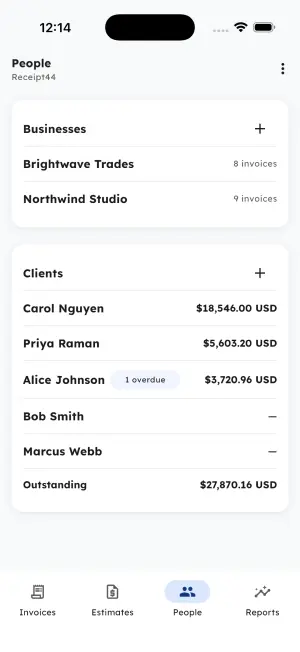
  • Balances per client. The People tab shows who owes what, with the clients carrying a balance sorted to the top.
  • Exact amounts. Every total is worked out in decimal arithmetic, so nothing drifts by a penny. Each currency is totalled on its own.
/ 03 · Everything in the box

Every part of the job, minus the accounting software

A price book for work you repeat

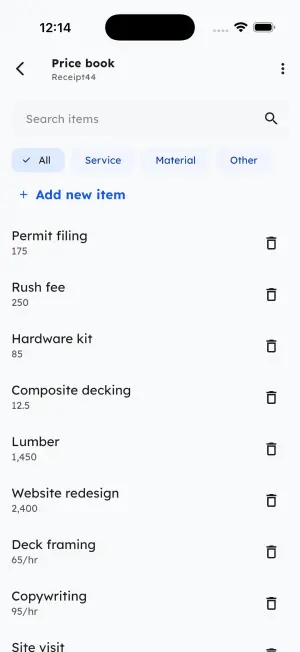
Save any line item once and replay it into future documents. Saved businesses carry your logo and tax ID; saved clients carry their address and balance. Filter the book by what kind of work it is.

Service Material Other Flat Per hour Per day

Bill in their currency

Pick from about 150 ISO codes per document. Totals stay separated by currency and are never mixed.

GBP · USD · EUR · CAD · AUD · JPY · INR · ZAR · SEK · MXN

Estimates that become invoices

Quote the work, then convert the accepted estimate in one tap. It gets a fresh number and keeps the original marked as converted.

Know what the year looks like

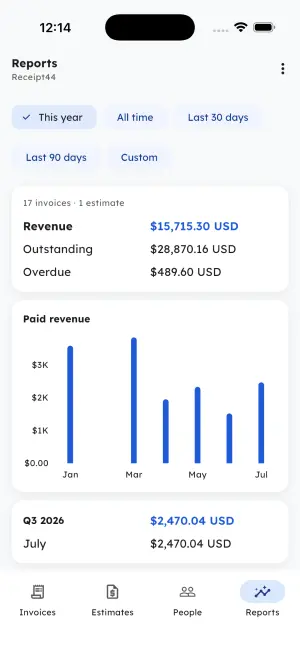
Revenue, outstanding, and overdue by date range, with a monthly trend, a quarterly rollup, and your top clients. Export the lot as CSV.

Make it look like yours

Six document layouts and thirty themes. Your theme recolours the app and carries its accent onto the page your client receives, over white paper.

Your client list is nobody else's business

Invoices, clients, payments, and photos are stored on your device. There is no account to create, no server holding your books, and no advertising.

On device · No sign-in
/ 04 · On your phone

See it running

Shown across light and dark themes, two of the thirty you can pick from.

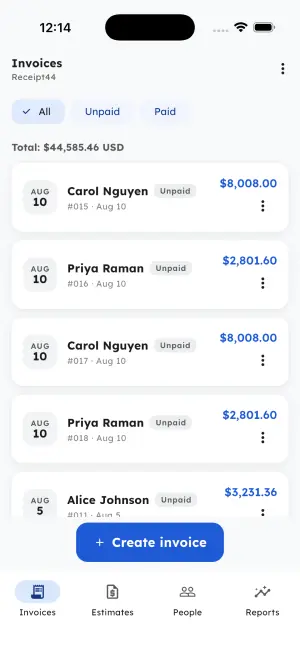
Invoices tab listing client invoices with unpaid status pills, a running USD total, and a Create invoice button
Invoices
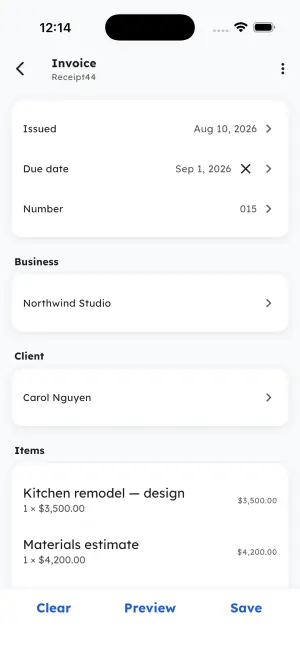
Invoice editor with issued and due dates, invoice number, saved business, client, and line items
Editor
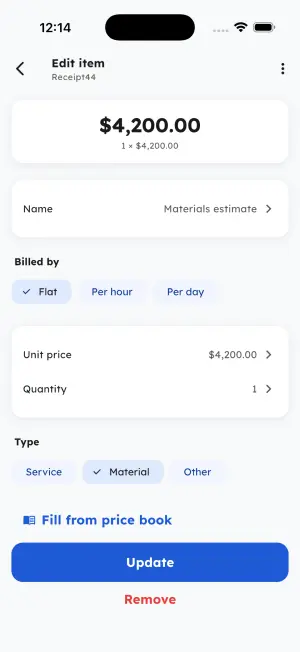
Line item editor with Flat, Per hour and Per day billing units, unit price, quantity, item type, and Fill from price book
Line item
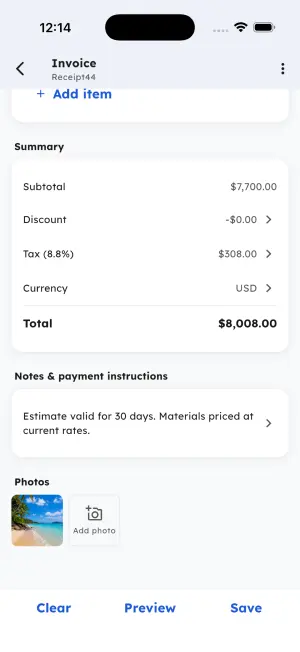
Invoice summary showing subtotal, discount, tax percentage, currency and total, plus notes and attached photos
Totals
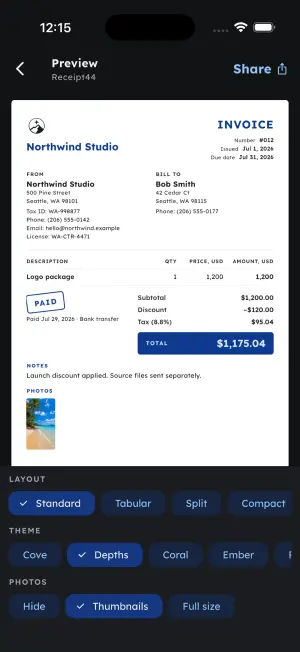
A4 invoice preview with a PAID stamp and layout, theme and photo display options below it
A4 preview
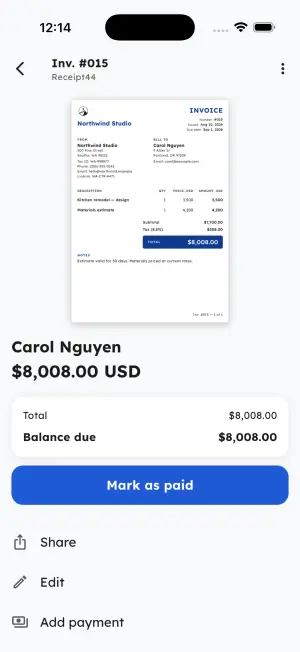
Invoice detail showing the rendered document, balance due, and Mark as paid, Share, Edit and Add payment actions
Detail
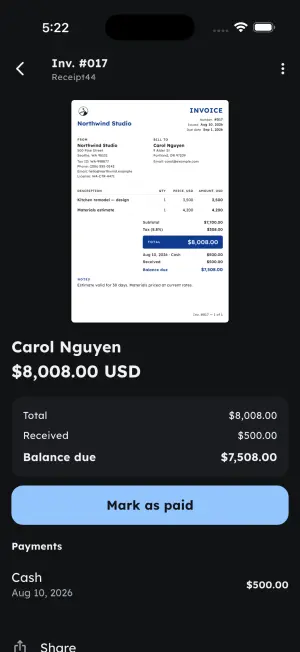
Invoice with a partial cash payment recorded, showing received amount and remaining balance due
Part payment
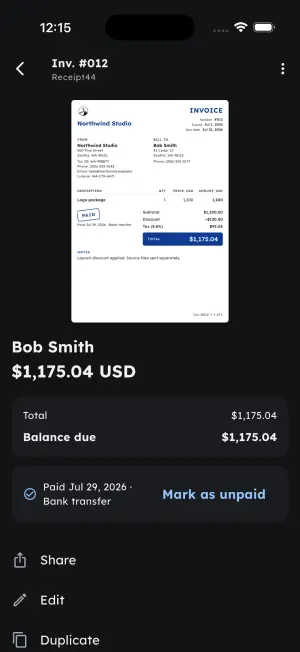
Settled invoice stamped PAID with the payment date and bank transfer method, and a Mark as unpaid option
Settled
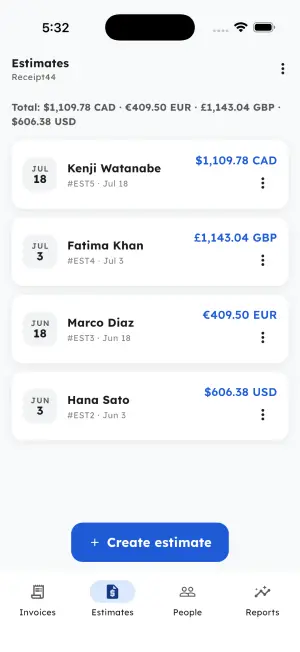
Estimates tab listing quotes in CAD, GBP, EUR and USD with per-currency totals
Estimates
Price book of saved line items with search and Service, Material and Other filters
Price book
People tab with saved businesses and clients, per-client balances, an overdue badge, and total outstanding
People
Reports dashboard with date range filters, revenue, outstanding and overdue totals, and a monthly paid revenue chart
Reports

Get Receipt44 when it lands

Coming to the App Store and Google Play.