Free Paycheck Calculator for All 50 States
Pay44 shows your exact take-home pay after federal and state taxes. Works for hourly wages and annual salaries. Updated for 2026 tax brackets.
Free download•No account required•Works offline
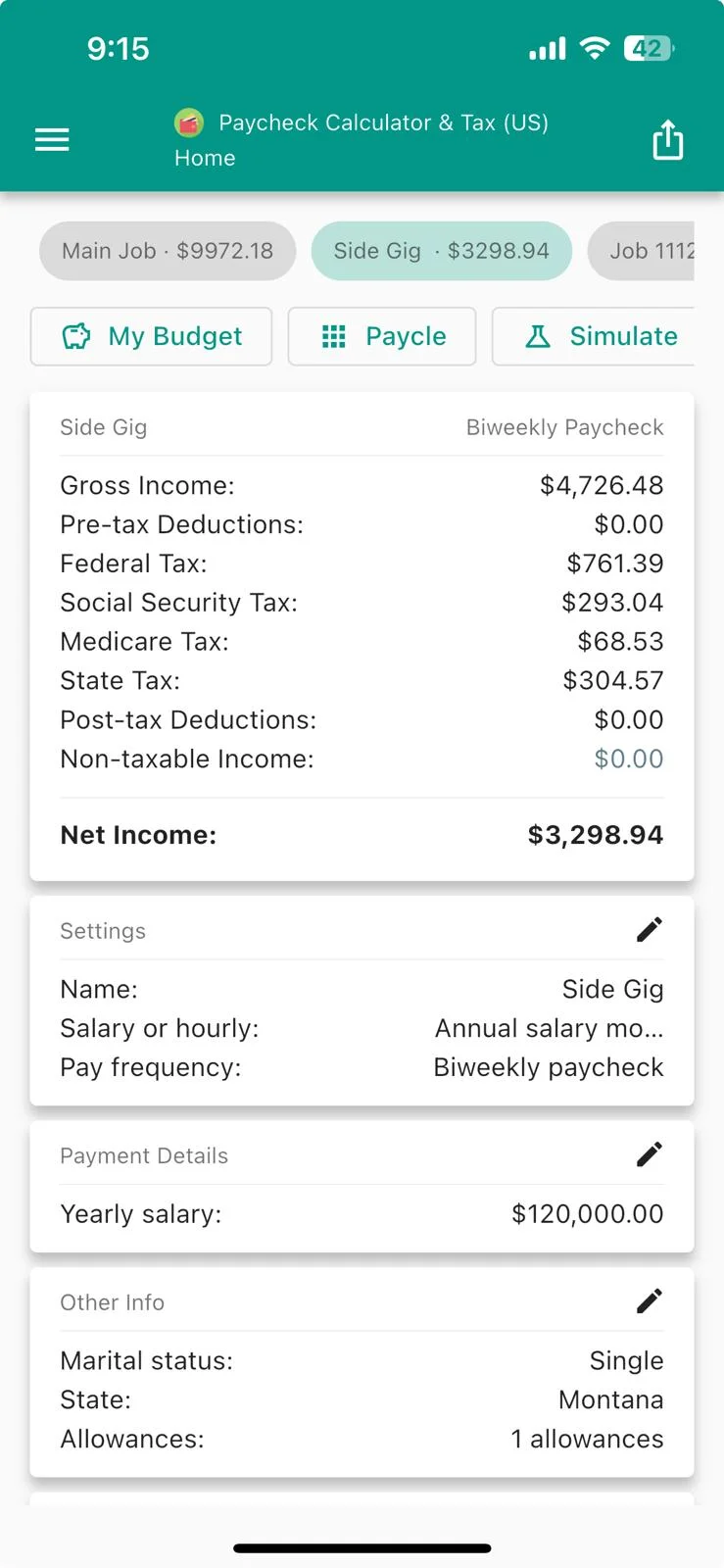
Calculate Your Net Income in 3 Taps
Enter your gross pay, select your state, and see how much you'll actually take home. Includes federal taxes, state taxes, and all deductions.
Easy Income Entry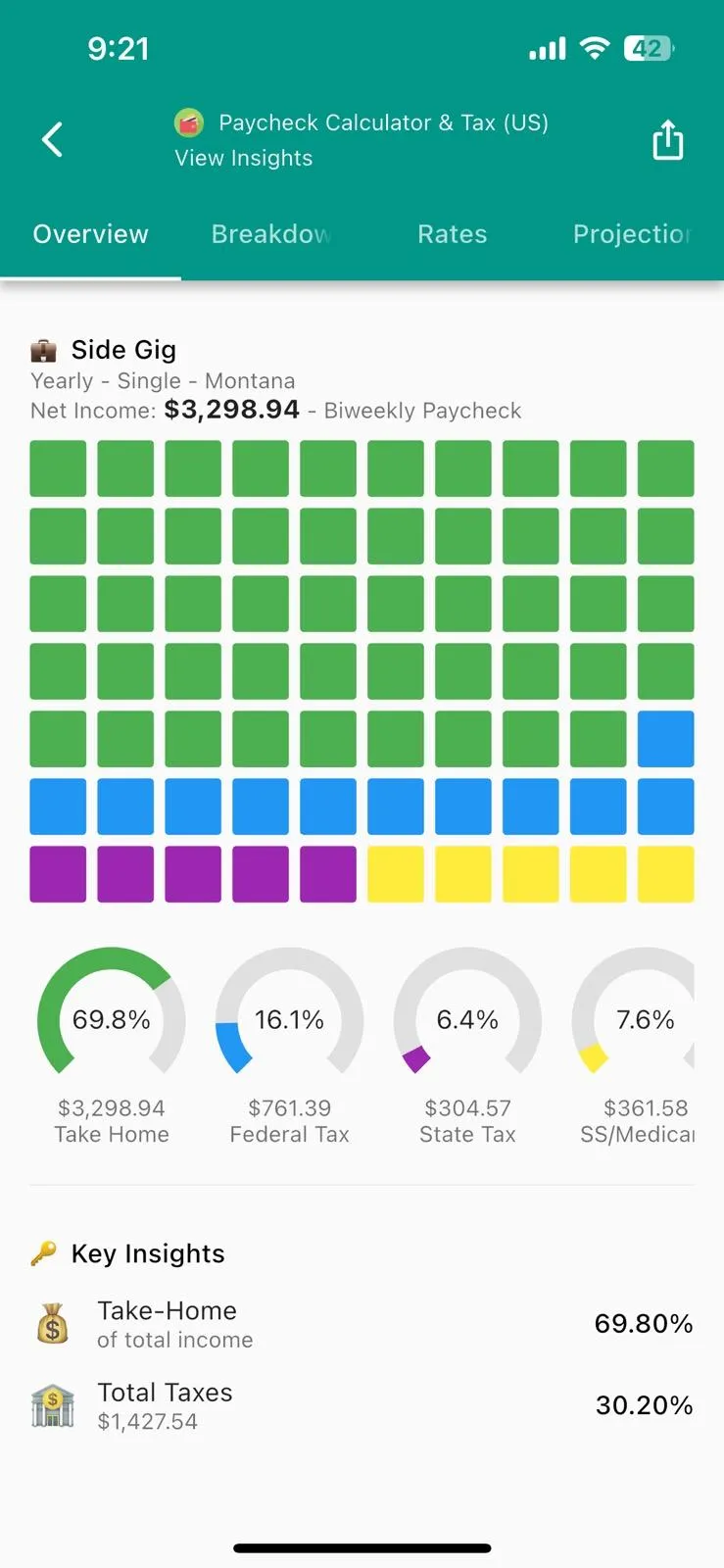 Detailed Tax Breakdown
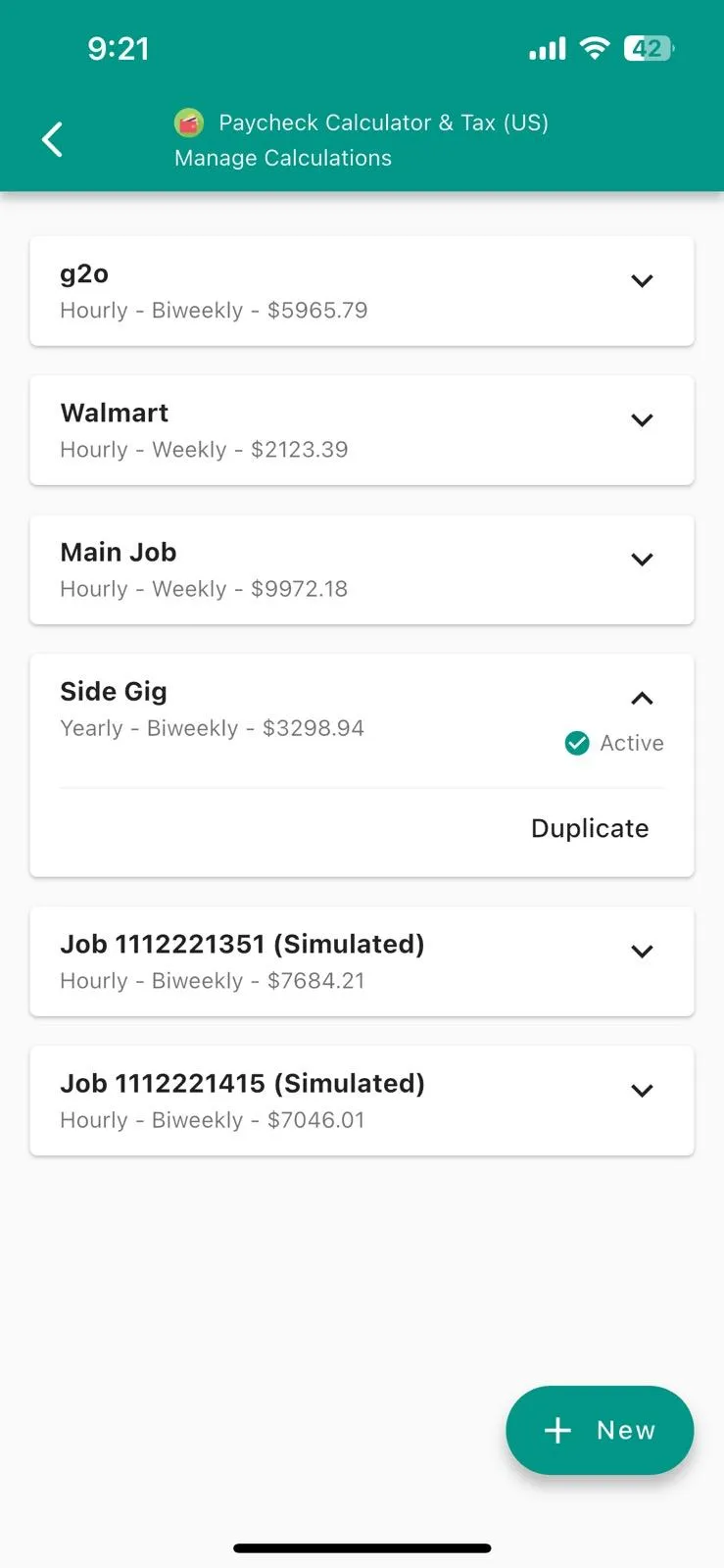 Manage Deductions
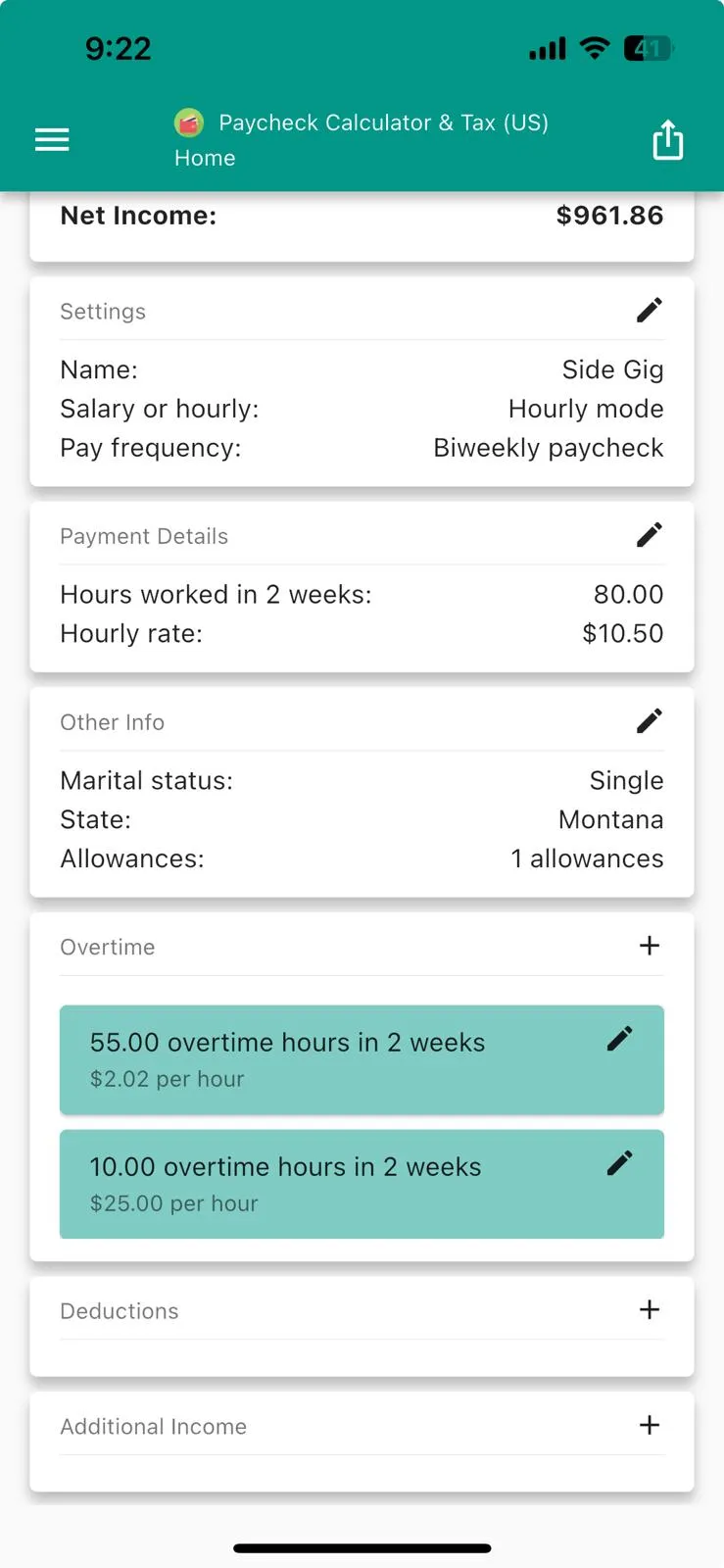 Clear Results
Calculate Your Take-Home Pay in 3 Steps
Enter your pay details, and Pay44 does the rest — federal taxes, state taxes, FICA, and deductions all calculated for you.
Enter Your Pay
Type in your hourly wage or annual salary. Choose your pay frequency — weekly, biweekly, semimonthly, monthly, or annual — to match how your employer pays you.
Select Your State
Pick your state — all 50 plus DC are covered. The calculator automatically applies the correct federal and state tax brackets for accurate withholding.
Get Your Take-Home Breakdown
View your net income with a line-by-line breakdown of federal taxes, state taxes, Social Security, Medicare, and every deduction. Add overtime or 401(k) to see how they shift your pay.
The Most Accurate Take-Home Pay Calculator
Trusted by 500,000+ workers. Calculate your net income using current federal and state tax tables.
Accurate to the Penny
Enter your hourly wage or salary and see take-home pay update in real time.
Federal & State Taxes
Covers federal income tax, Social Security, Medicare, and state taxes for all 50 states plus DC. Updated for 2026.
Overtime & Bonus Pay
Add overtime hours at 1.5x, 2x, or custom rates. See how extra shifts and bonuses affect your take-home pay.
Pre-Tax Deductions
Model 401(k), HSA, FSA, and health insurance deductions. See exactly how each reduces your taxable income.
Weekly to Annual
Switch between weekly, biweekly, semimonthly, monthly, or annual pay periods to match your employer.
100% Offline & Private
All calculations happen on your device. No account, no tracking. Your salary information stays private.
Monthly Budget Planner
Combine multiple paychecks with custom income and expenses. See visual breakdowns with waterfall charts and spending allocation.
Compare Job Offers
Side-by-side comparison of saved calculations. Compare hourly vs salary positions with normalized yearly net income.
Simulate Scenarios
Preview the impact of salary changes before committing. See deltas for gross pay, taxes, and net income instantly.
Trusted by 500,000+ Workers Nationwide
Real reviews from the App Store and Google Play.
"I love the simplicity and barebones productivity of this app! It has one assignment and does it exceedingly well. I use it to quickly and accurately predict my paychecks based on hours worked, including overtime. Outstanding for financial planning!"
"Very accurate! When I first used the app and put in my info, it was so close to what I was actually paid! Almost down to the last penny! The app is very easy to use, has a simple UI. I also love how it takes local and state taxes into account."
"I've been using this app for years and it's never let me down. I suggest this app to everyone looking to get an estimate of your paycheck. Since I've been using it, it's only been maybe five dollars off. All in all, great app."
"I love this! It's a simple calculator, doesn't ask to link your bank account. You can enter numbers from your last pay stub, then change hours to see gross/net. It's accurate, reliable, doesn't glitch. I've been using it for 6 months... love it!"
"My friend does taxes and recommended this to determine what my checks might look like. It honestly really helped. It's not 100% accurate but it's only ever off by coin amount, and if more, the most I've noticed is about $50."
"Been using the same app for years, it's pretty much moved in as an essential. Takes care of all the taxes and shows your gross vs actual paycheck. Not much else to say lol just works and has never had any issues."
Frequently Asked Questions
Does this paycheck calculator work for hourly and salaried workers?
Yes. Switch between Hourly and Salary modes instantly. Calculate your take-home pay whether you're paid by the hour or earn an annual salary.
What pay frequencies does the calculator support?
Choose from Weekly, Biweekly, Semimonthly, Monthly, Quarterly, Semiannual, or Yearly schedules to match how your employer pays you.
How accurate is this paycheck calculator?
The calculator uses current federal tax brackets, Social Security and Medicare thresholds, and all 50 state tax tables so your net income estimate stays accurate.
Can I calculate how 401(k) and HSA affect my paycheck?
Yes. Add unlimited pre-tax and post-tax deductions including 401(k), HSA, FSA, and insurance to see exactly how each affects your take-home pay.
How do I calculate overtime pay and taxes?
Add overtime entries with 1.5x, 2x, or custom multipliers. The calculator shows how overtime increases your gross pay and the taxes withheld.
Does the calculator include bonuses, tips, and commissions?
Yes. Track supplemental income alongside regular wages and mark items as taxable or non-taxable for accurate withholding calculations.
Will my paycheck calculations be saved?
Your inputs auto-save locally after one second of inactivity, so the app reopens with every deduction and overtime entry intact.
Is my salary information private?
All data stays on your device. No account, no tracking, and the calculator works entirely offline for maximum privacy.
How to Calculate a Paycheck
Start with your gross pay — hourly workers multiply their rate by hours worked, while salaried workers divide their annual salary by the number of pay periods (26 for biweekly, 24 for semimonthly). Next, subtract pre-tax deductions like 401(k) contributions and health insurance premiums to get your taxable income. The IRS uses this figure to determine how much federal income tax to withhold based on your W-4 filing status and tax bracket.
After federal tax, subtract FICA taxes: 6.2% for Social Security (on income up to $176,100 in 2026) and 1.45% for Medicare. Then subtract your state income tax, which varies from 0% in states like Texas and Florida to over 13% in California. Finally, subtract any post-tax deductions like Roth 401(k) contributions. What remains is your net pay — the amount deposited into your bank account.
What Is Take-Home Pay?
Take-home pay — also called net pay — is the amount you actually receive after every deduction is subtracted from your gross earnings. Here's the formula:
How much you keep depends on a few things. Your filing status (single, married, head of household) affects which federal tax bracket applies. Your state matters too — nine states have no income tax at all, while California and New York charge rates above 10%. Pre-tax deductions like 401(k) contributions reduce your taxable income, so you pay less in taxes.
Paycheck Guides & Tax Resources
Understand withholding, overtime rules, and how deductions affect your pay.
Top Paycheck Calculators 2026
Compare the best paycheck calculator apps and tools available today.
How to Fill Out the 2026 W-4
Step-by-step through the latest form with real examples so your withholding stays accurate.
How 401(k) Changes Net Pay
See how traditional and Roth 401(k) deposits shift taxable wages and what to adjust.
Overtime and Bonus Tax Methods
Compare flat-rate versus aggregate withholding on supplemental pay.
Paycheck 101: Gross vs. Net
Understand every deduction and how they reduce your take-home pay.
Try the Free Paycheck Calculator
Pay44 is the #1 rated paycheck calculator on iOS and Android. Free download, no account required, works completely offline.